How do I delete my account?
Deleting your account is a permanent action that will cause you to lose all in-game progress, achievements, and virtual items, whether purchased or earned. Please make sure you genuinely want to proceed before continuing.
In order to delete your account, follow these instructions:
Go to "Main menu" > "Account".
Click the Settings option (the gear icon next to your account ID).
Select "Delete account". You will see a confirmation window. If you want to proceed, click Delete.
Provide your account ID (you can see it in the background) and the number of game progress instances (i.e., in-game characters) that you have. You can check how many you have in the Progress section.
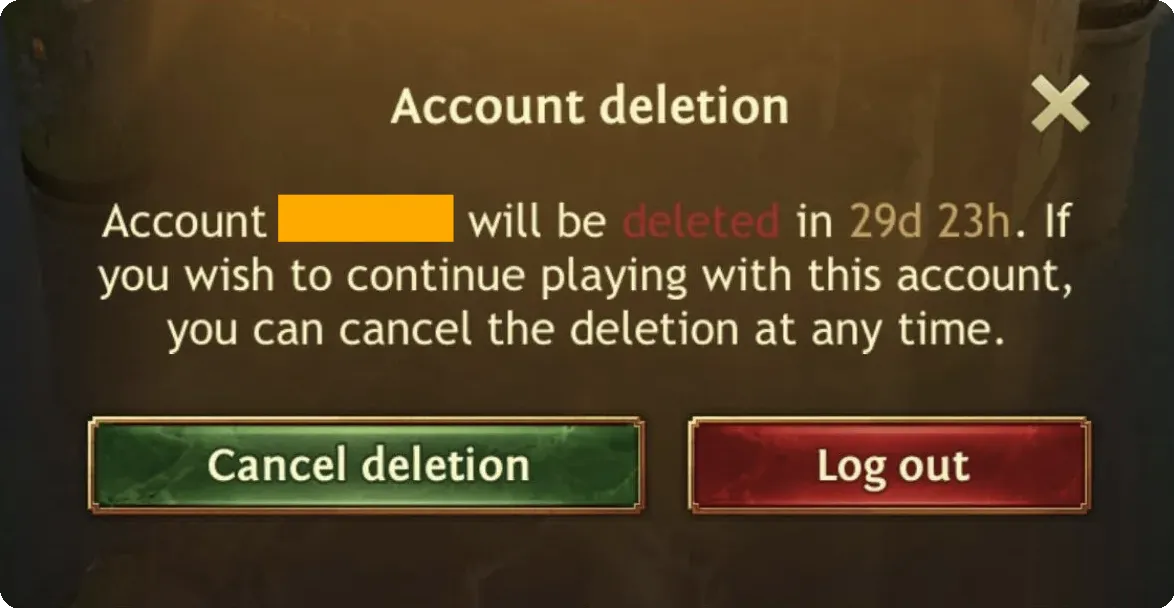
The account will be scheduled for deletion, which will happen in 30 days. If you change your mind and want to cancel the deletion process, just log in to your account, and you will see the option to cancel the deletion:
If you are having trouble completing the process above, you can also contact our support team directly.