How can I access my Triumph: Dawn of Power account?
You can access your Triumph: Dawn of Power account in the Total Battle app. To do so, follow the step-by-step instructions below.
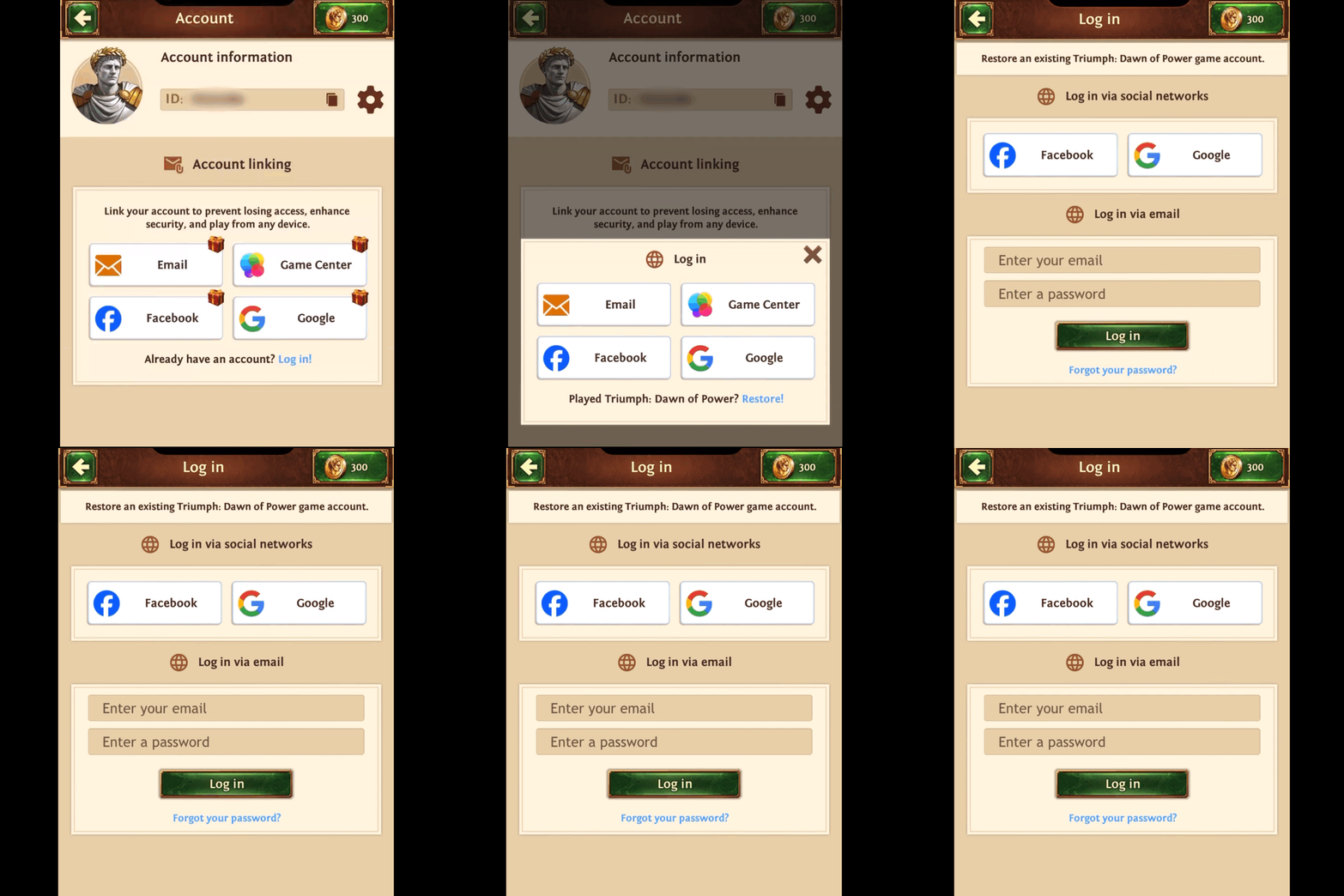
If you are already logged in to the game with an account:
-
Open the Account section in the Main Menu.
-
Click the “Log in” option under the login methods.
-
Select the Restore option for those who have played Triumph: Dawn of Power.
-
You will be able to log in using either a Facebook or Google account or a registered email address.
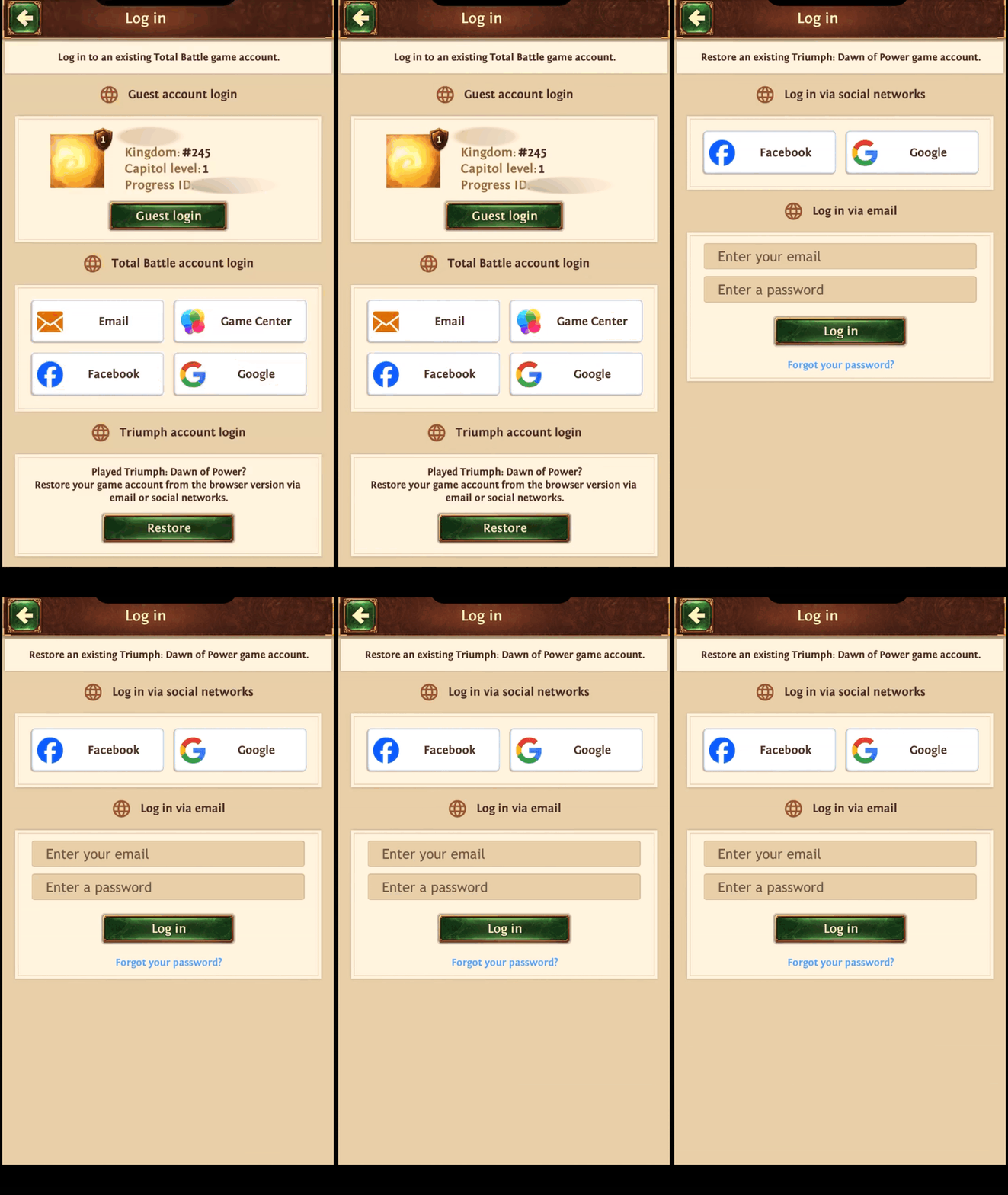
If you are on the starting screen of the game:
-
Click Login.
-
Head to the Restore option at the bottom of the login menu (for those who played Triumph: Dawn of Power).
-
You will be able to log in using either a Facebook or Google account or a registered email address.
Was this helpful?